 Doorman
What it does
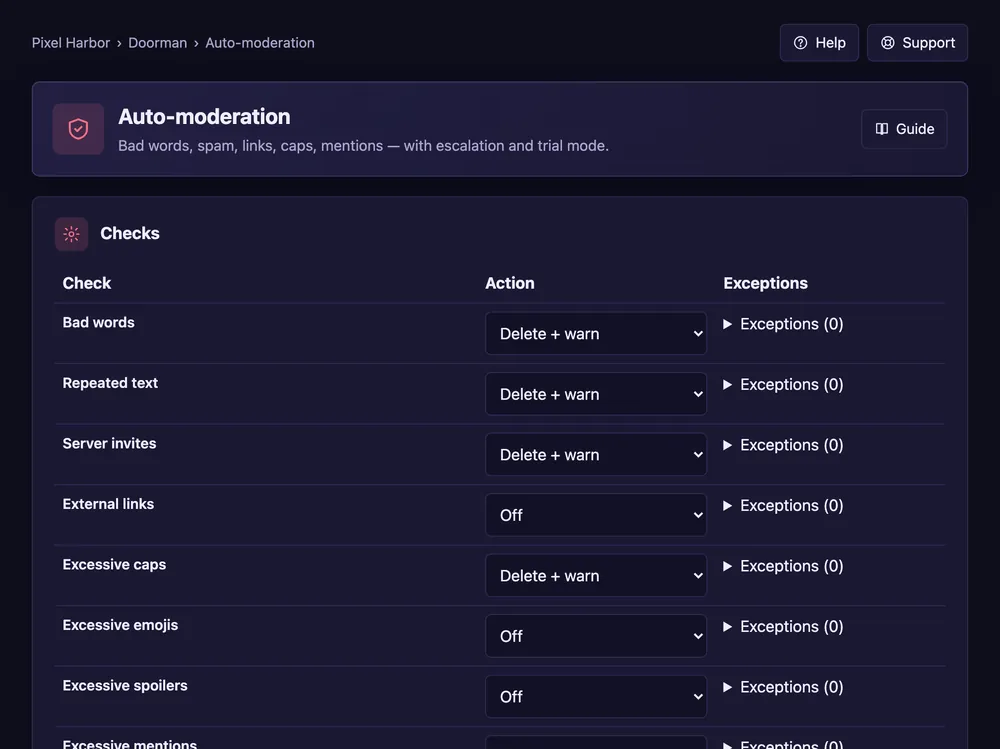
Checks every message for bad words, spam, links, caps, mentions and more.
Steps
- Open Auto-moderation → Checks.
- For each check pick an action: off, delete, warn, delete + warn, kick, ban or report.
- Fill in your bad words and allowed link domains, and set the limits.
- Escalation: e.g. 3 warnings in 60 minutes → 10 minute timeout.
- Press Save.
Good to know
- Use Exceptions for roles and channels a check should skip.
- Not sure yet? Use Trial mode first.
- Member reports and the review queue: see Reports.
Commands
/automod report– what auto-mod did per check.